Import your SVG
Bring in your own artwork and preview the design directly in Freshie Mold Maker.
Use your own artwork to make a freshie mold when you have an idea — whether it is one personal project, a seasonal design or something for your shop. Set the mold dimensions, generate the housing, position the pull tab, preview the result in 3D and color, then export the STL for your slicer.

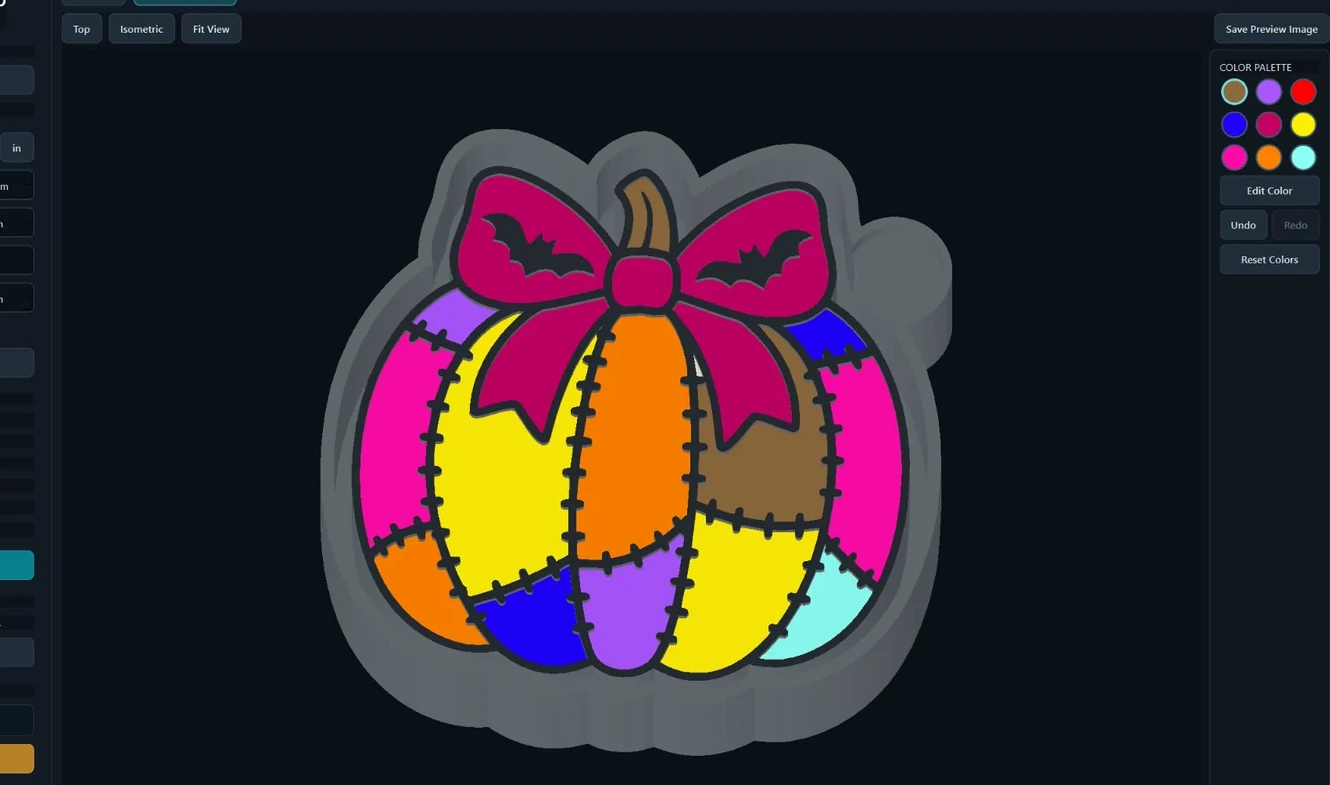
The mold-specific setup stays in one focused app, so you do not have to rebuild the housing manually for every project.
Bring in your own artwork and preview the design directly in Freshie Mold Maker.
Set mold dimensions, heights and silicone clearance, then generate the housing and reposition the pull tab when needed.
Inspect the result in 2D or 3D, apply colors for visualization and export the STL for slicing and 3D printing.
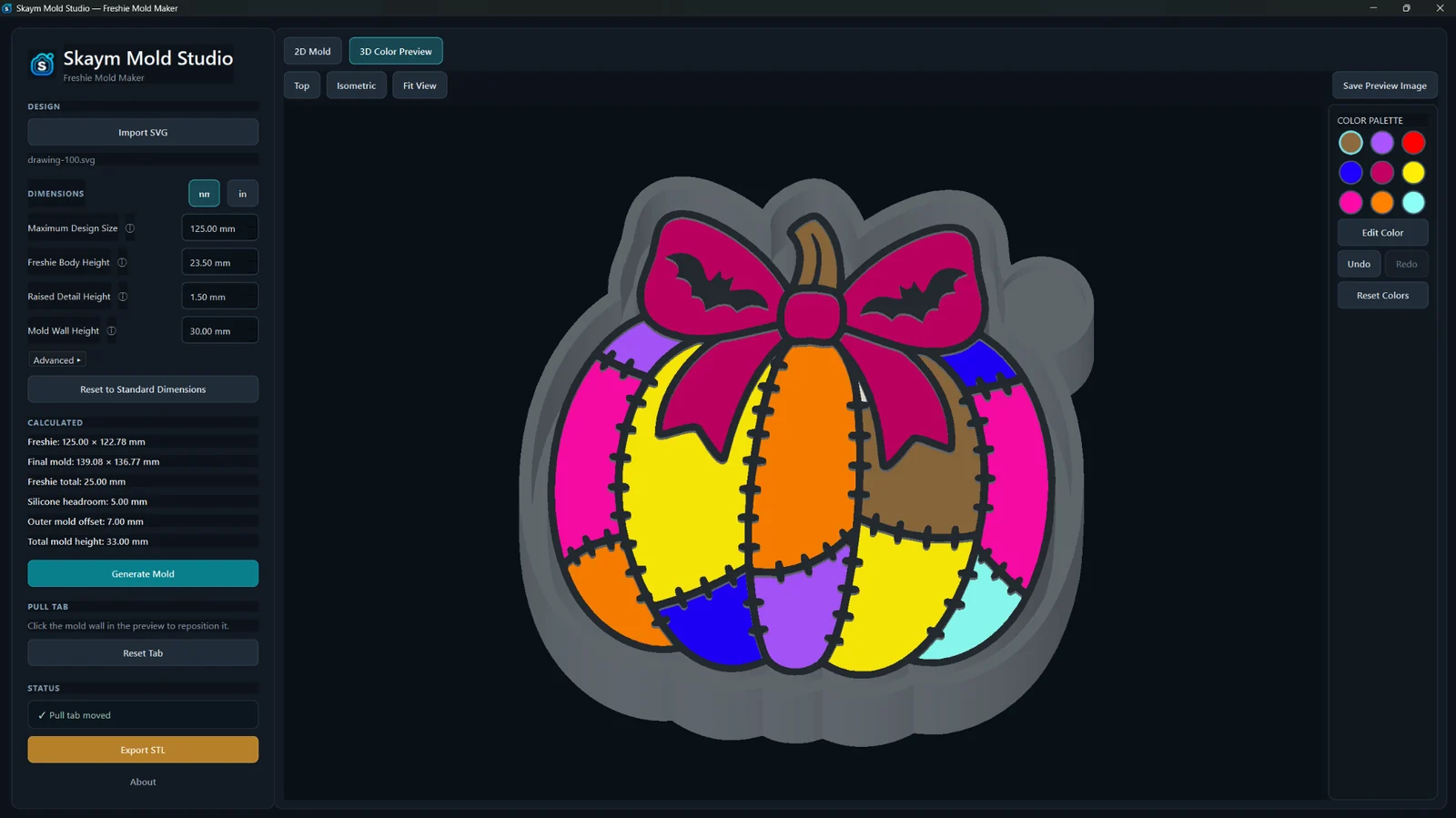
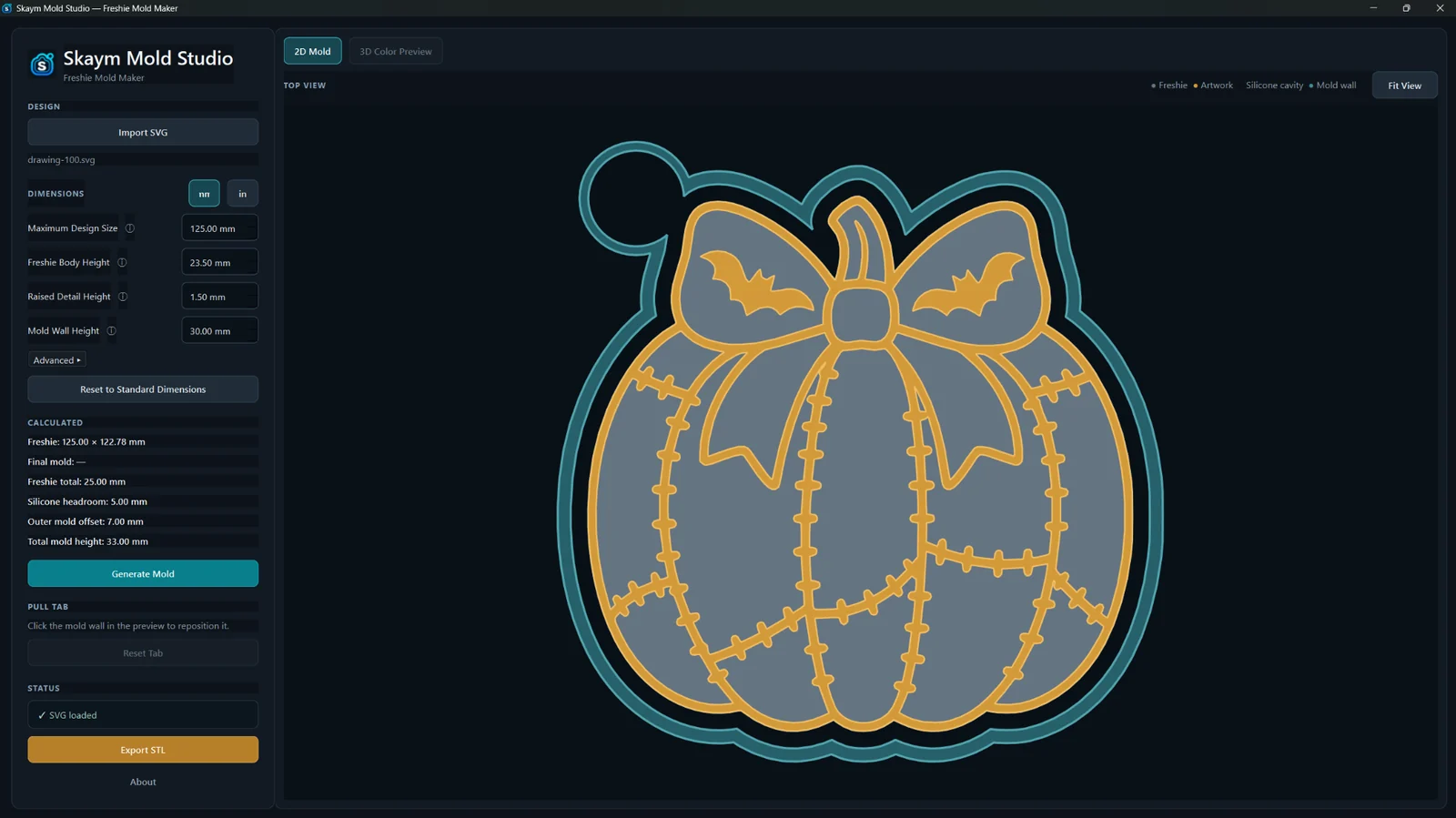
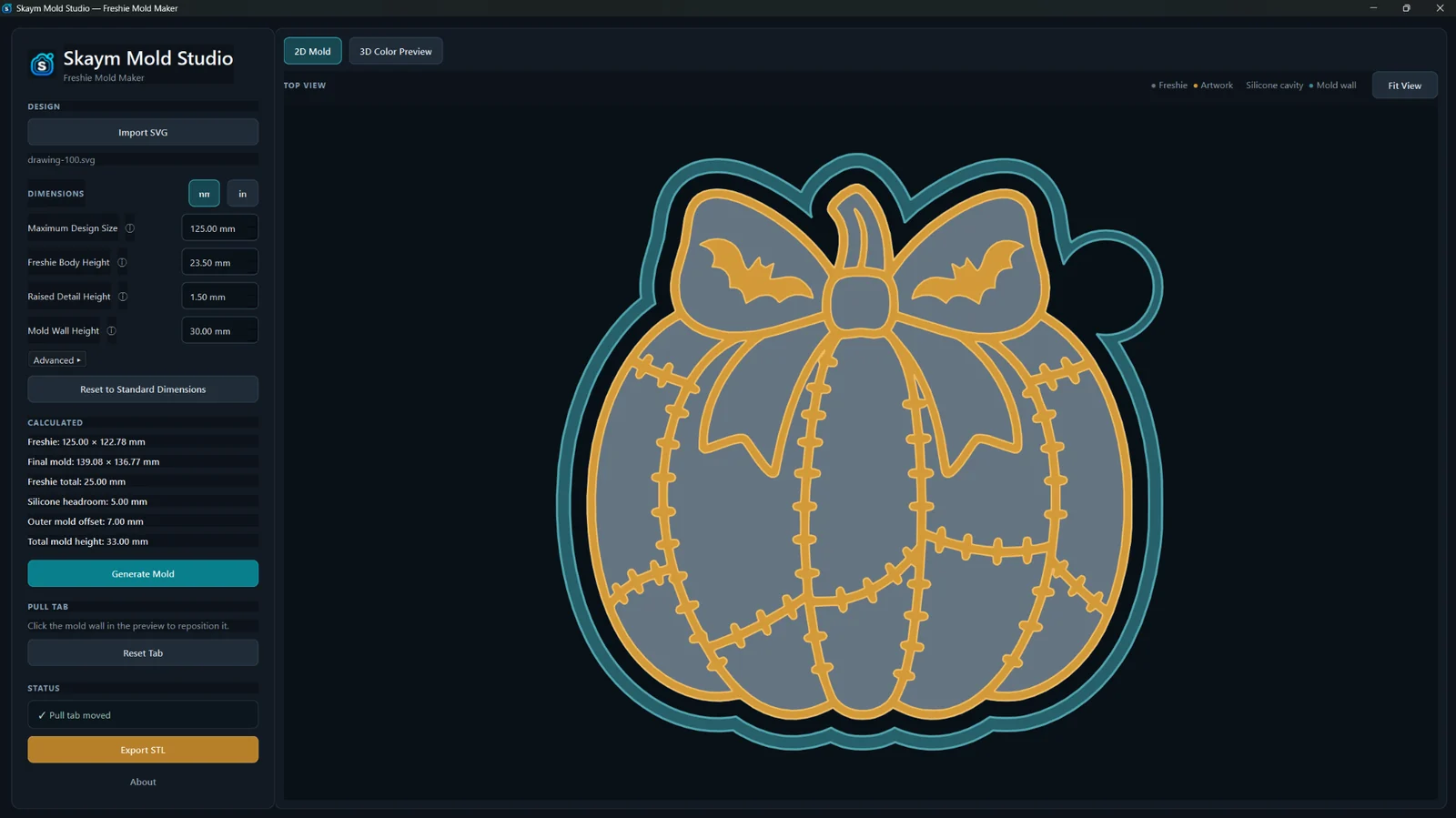
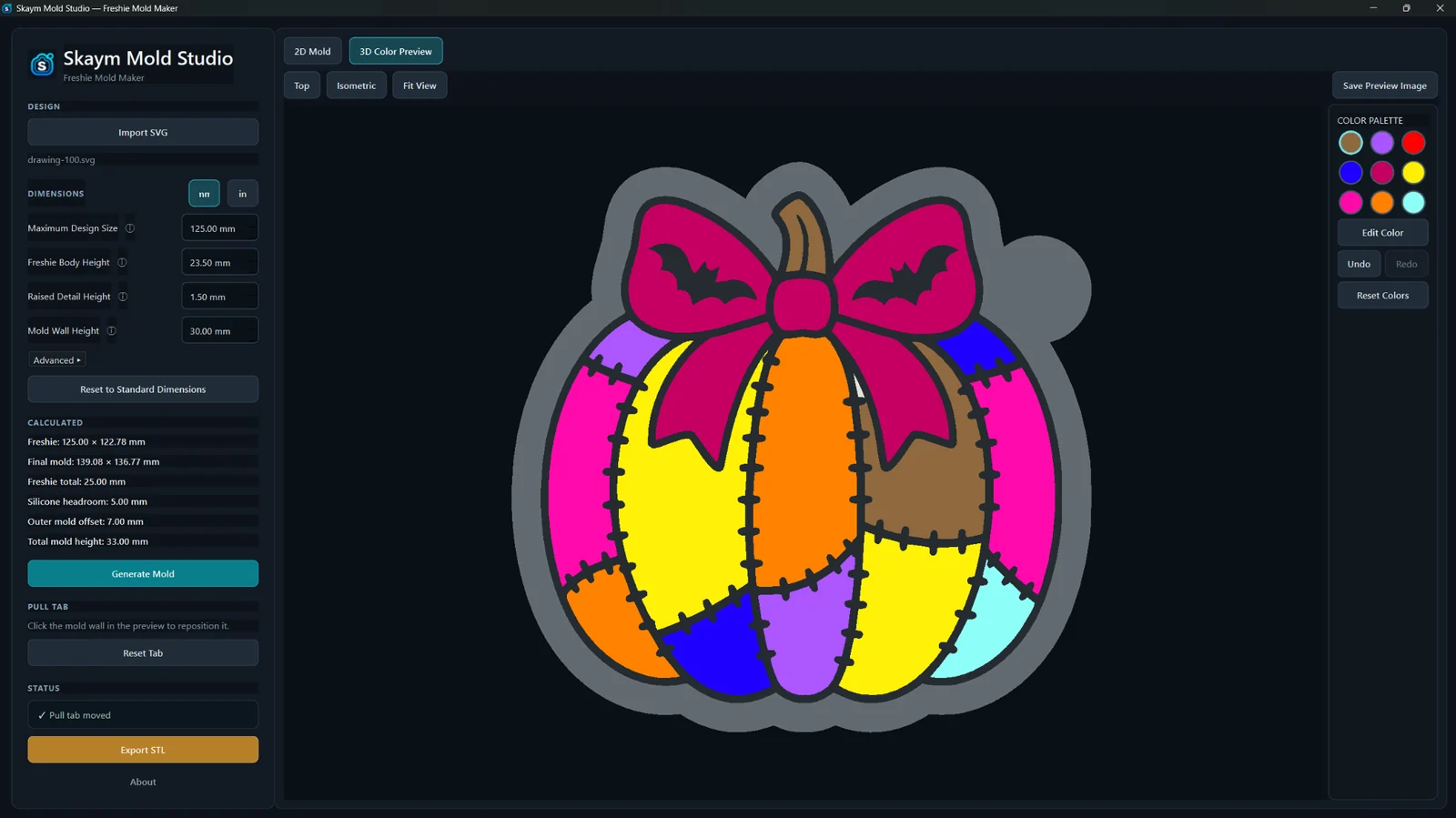
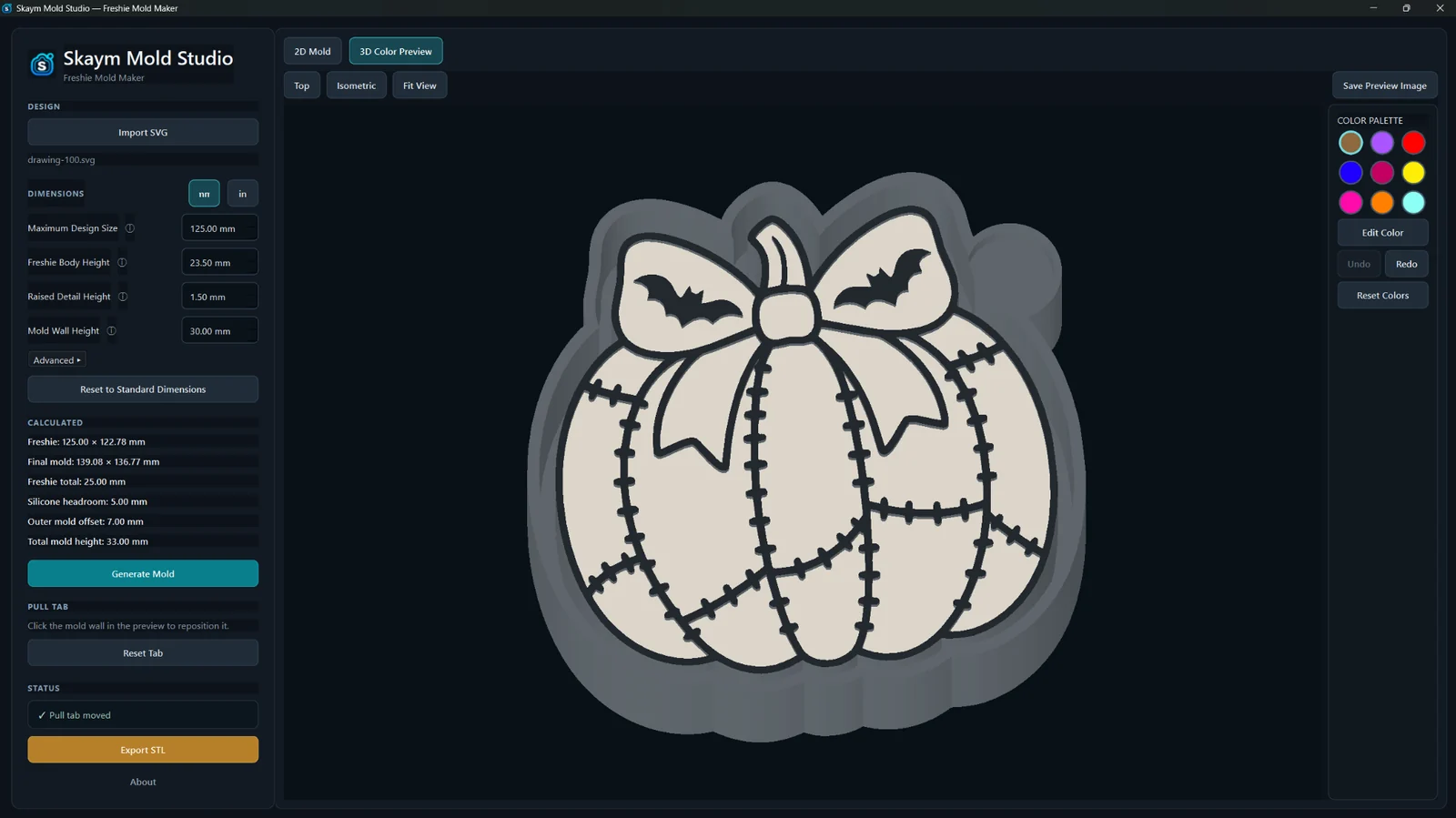
Set the dimensions, adjust pull-tab placement, inspect the finished mold in 3D, preview colors and export only when the result looks right.
Create one mold or a whole collection from your own SVG artwork. There are no generation credits or design-count limits from Skaym.
Start with automatic placement, then click the mold wall to reposition the tab.
Scale your artwork for standard freshie molds or smaller vent freshie molds, then control freshie body height, raised detail height, mold wall height and silicone clearance.
Rotate, pan and zoom the generated mold and use color slots to preview design regions.
Export the generated mold as an STL for slicing and 3D printing.
Save a fixed 2000×2000 preview PNG, clean or with optional Skaym branding.
Use the unit display you prefer while the mold keeps the same real size.
No browser-based mold generation. Your creative files stay on your computer.
A few examples created directly with Freshie Mold Maker, showing different artwork styles, colors and levels of detail.
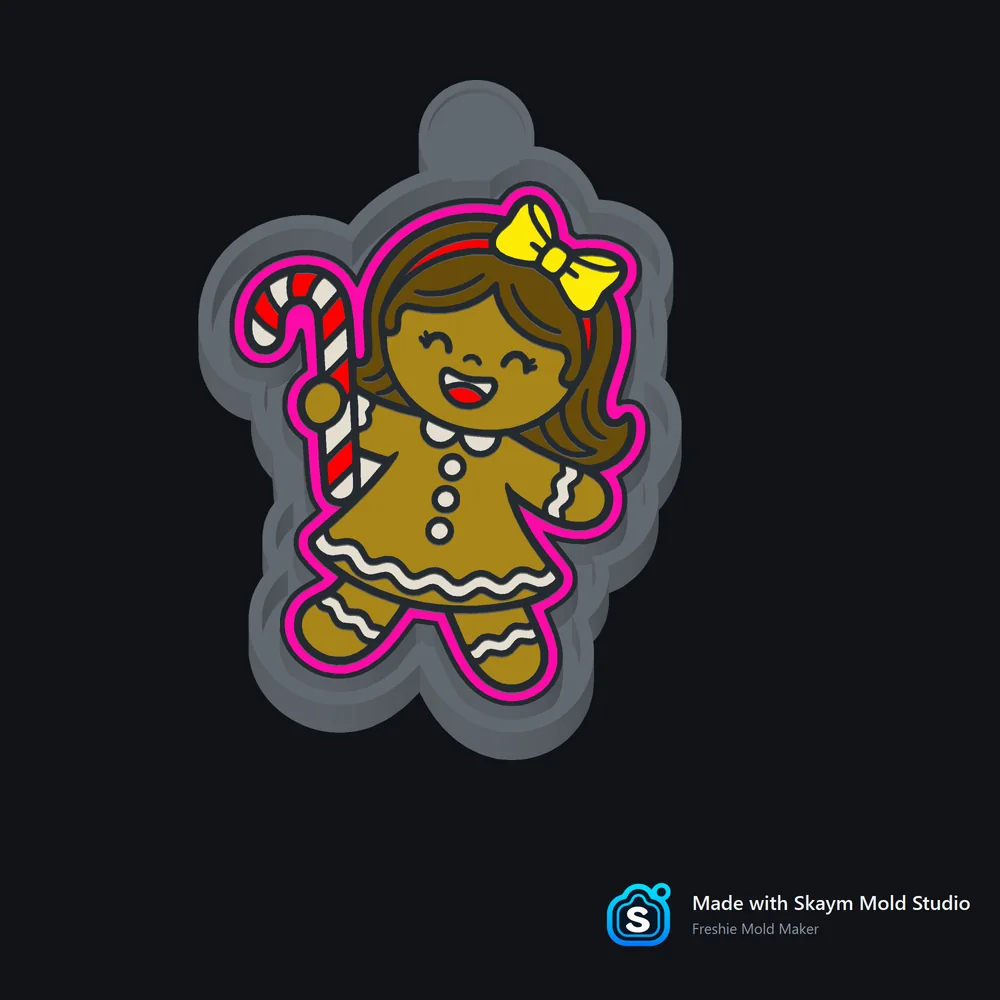
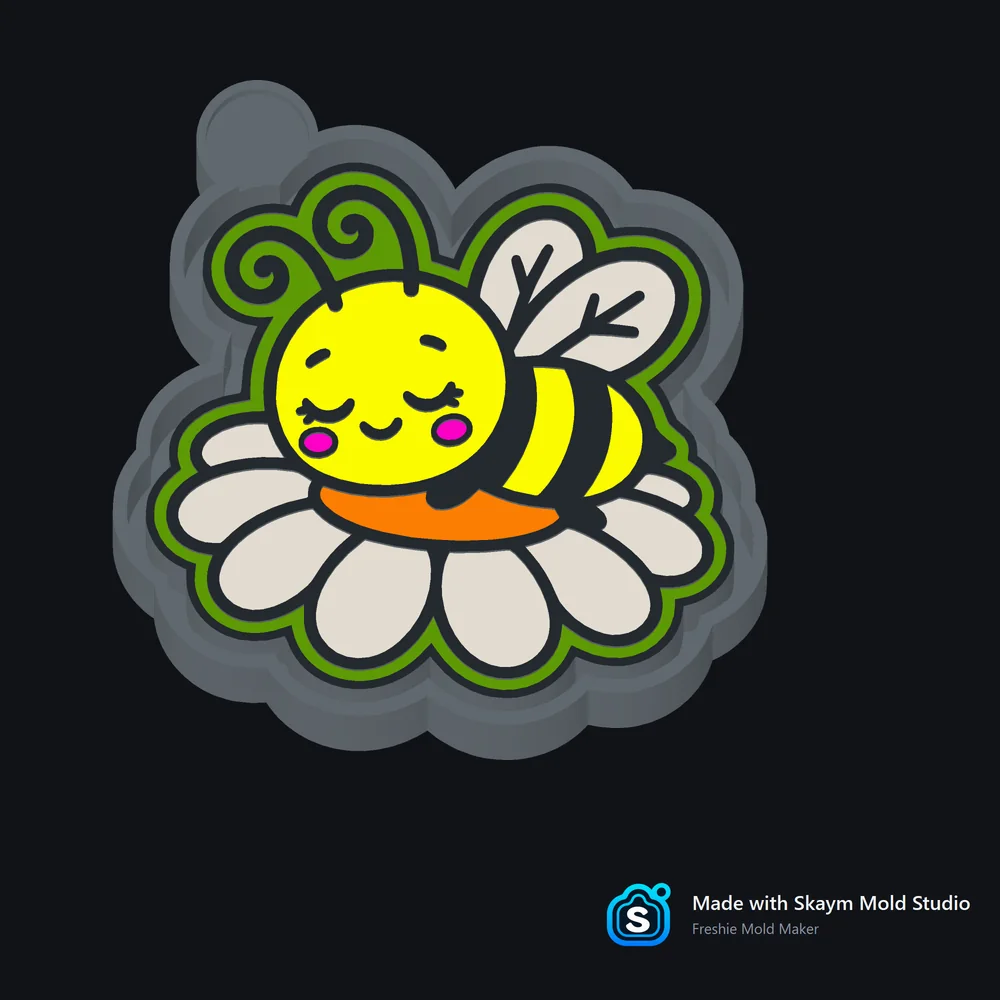
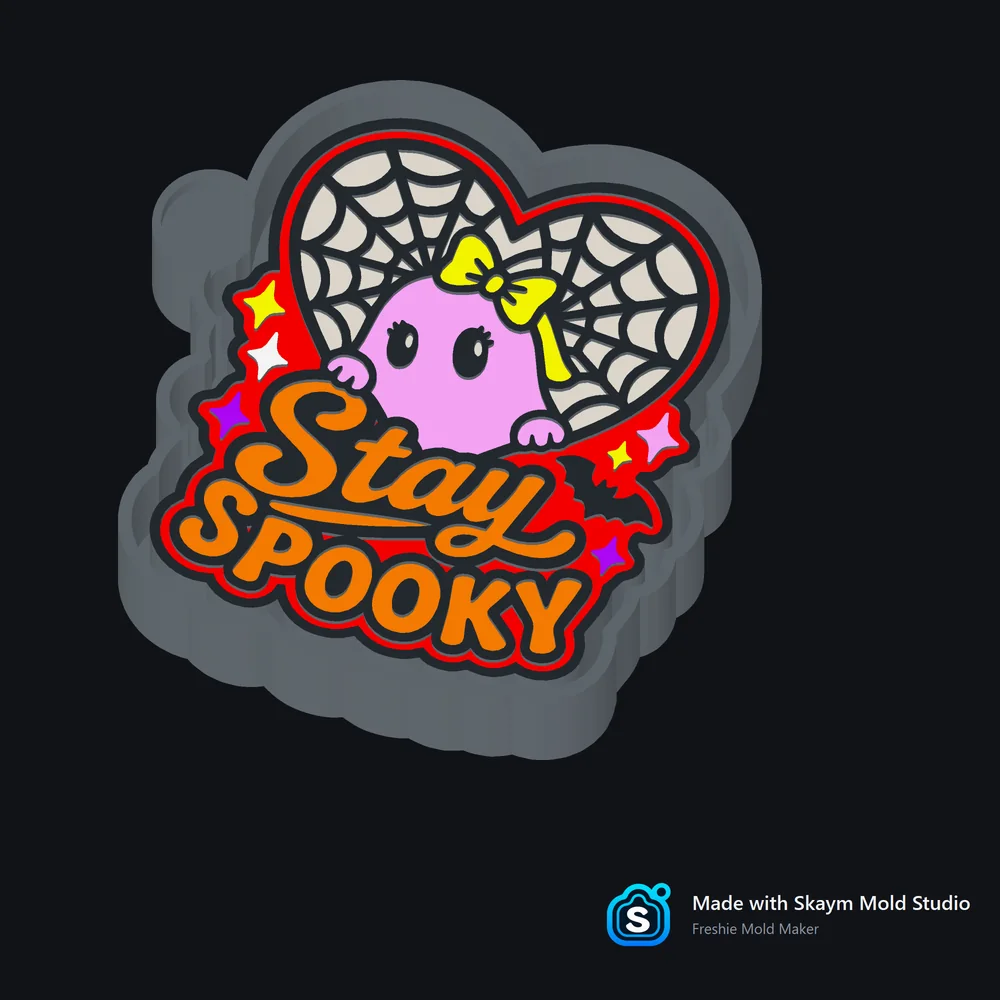
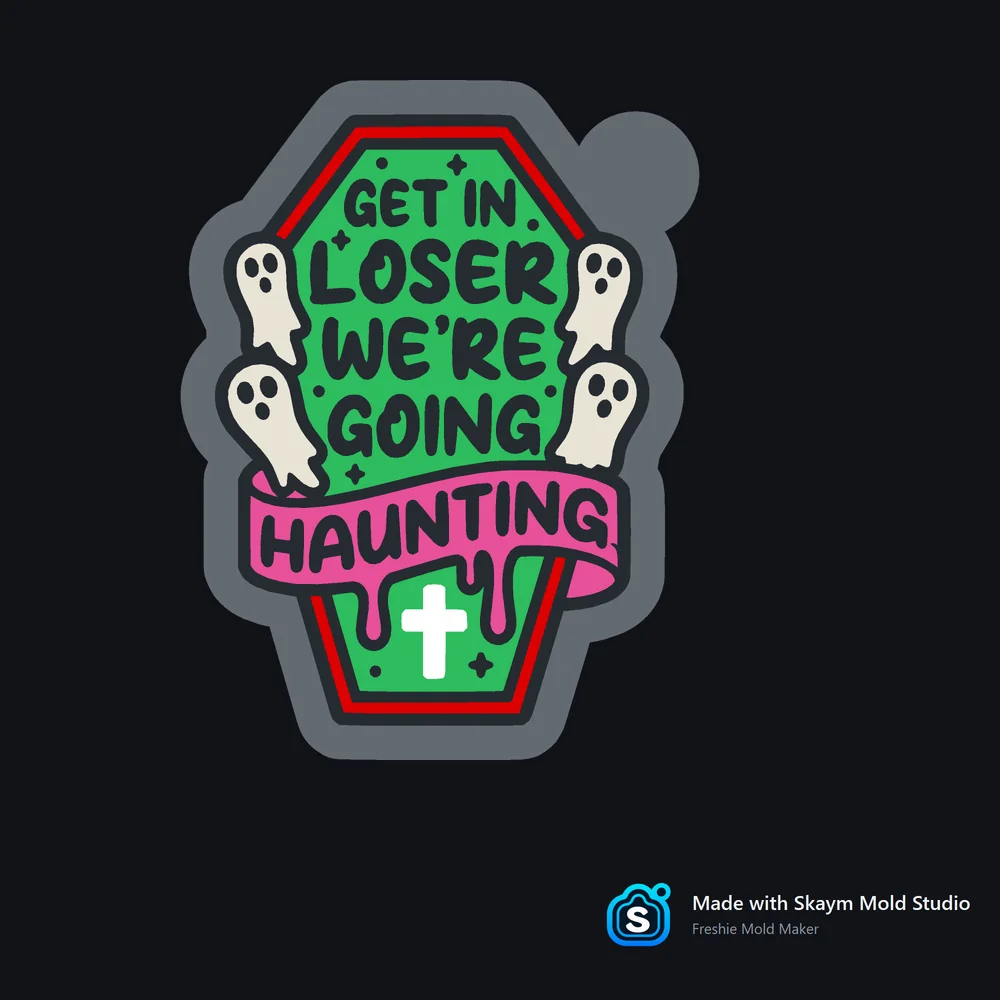
Freshie Mold Maker generates molds locally on your PC. Your SVG artwork, STL files, previews, colors and mold designs stay on your PC during mold generation.
Freshie Mold Maker keeps the repeatable mold work in one focused app. Bring in the SVG you want to use, set the mold, preview the result and export when it looks right.
Making a personal project, a seasonal design, a gift or a smaller vent freshie? Import your SVG and use the same clear mold controls without setting up a full CAD project first.
When you have another SVG, start with the same focused controls for sizing, mold dimensions, pull-tab placement, preview and export. Create as many designs as you need with no generation credits from Skaym.
Both options unlock the same Freshie Mold Maker feature set. Choose the payment option that fits how often you create. No annual plan.
Choose Monthly or Lifetime at checkout.
Secure checkout is handled by Freemius. After purchase, Freemius emails your license key and Windows download link.
Purchases are subject to the Freemius checkout terms, our Refund Policy and applicable law.
You may sell the mold STL files and physical products you create with Freshie Mold Maker. You are responsible for having the necessary rights or permission for any artwork, characters, logos or designs you import; Skaym Mold Studio does not grant rights to third-party artwork.
No. Freshie Mold Maker is built specifically for freshie molds, so you can import your artwork, adjust the mold and export without manually building the whole housing in general-purpose CAD.
Freshie Mold Maker currently imports SVG artwork.
No. It is a tool for turning your own SVG artwork into custom freshie mold STLs. It does not provide a library of ready-made mold designs.
Yes. Reduce the design size and use the same mold controls to create smaller mold STLs for vent freshies from your own SVG artwork. Freshie Mold Maker creates the mold STL; any vent clip, magnet or other attachment used on the finished freshie is separate.
After purchase, enter the Freemius license key delivered with your order. Initial activation requires an internet connection. You can give the PC a device name during activation so it is easier to recognize later.
Freemius emails the Windows download link with your purchase. You can also use the Freemius Customer Portal to download the purchased Windows build again. Freshie Mold Maker is delivered as a Windows ZIP; extract it, then open Skaym.exe.
On first launch, Windows SmartScreen may display “Windows protected your PC.” If it does, click More info → Run anyway. You do not need to disable Windows Security, Microsoft Defender, or SmartScreen.
One Freshie Mold Maker license is intended for use on up to 2 personal PCs. If you replace a PC, you can deactivate an old device through the Freemius Customer Portal to free a seat before activating another computer.
The app exports STL mold files for slicing and 3D printing, and it can also save preview images.
Yes. You may sell generated mold STL files and physical products you create with Freshie Mold Maker. You are responsible for having the necessary rights or permission for any artwork, characters, logos or designs you import.
No. Mold generation happens locally on your PC. Your artwork, STL files, previews and mold designs stay on your PC during mold generation. Checkout, account, license, device, payment and security services may still process the information needed to operate those services.
No. Freshie Mold Maker v1.0.0 is currently a Windows desktop application.
Both options provide Full Access to the same feature set. Monthly is a recurring subscription and access continues while the subscription is active. Lifetime is a one-time purchase with no recurring subscription and gives ongoing use of the purchased version, subject to a valid license. There is no annual plan.
No for normal mold generation, which runs locally. Monthly requires an online license check when starting a new app session. If the connection drops after a successful check, that running session can continue only while the paid subscription is still active. Lifetime can continue offline after valid activation and does not use a fixed periodic online-validation schedule; when the app is online, license status may still be refreshed.
Email skaymmoldstudio@gmail.com for Freshie Mold Maker support. Do not include your license key or private activation credentials in screenshots or public posts.
Cancelling stops future renewals. It does not automatically refund a payment that has already been processed. Purchases remain subject to our Refund Policy, the Freemius purchase terms shown at checkout and applicable law.
Import your artwork, set the mold, position the pull tab, preview the result and export the STL. One focused Windows app for personal projects, gifts, custom work or a growing collection of designs.